시리즈 표지 생성
시리즈 표지 생성은 기존 시리즈 스타일을 따르는 새 전자책 스타일의 앞표지를 만듭니다.
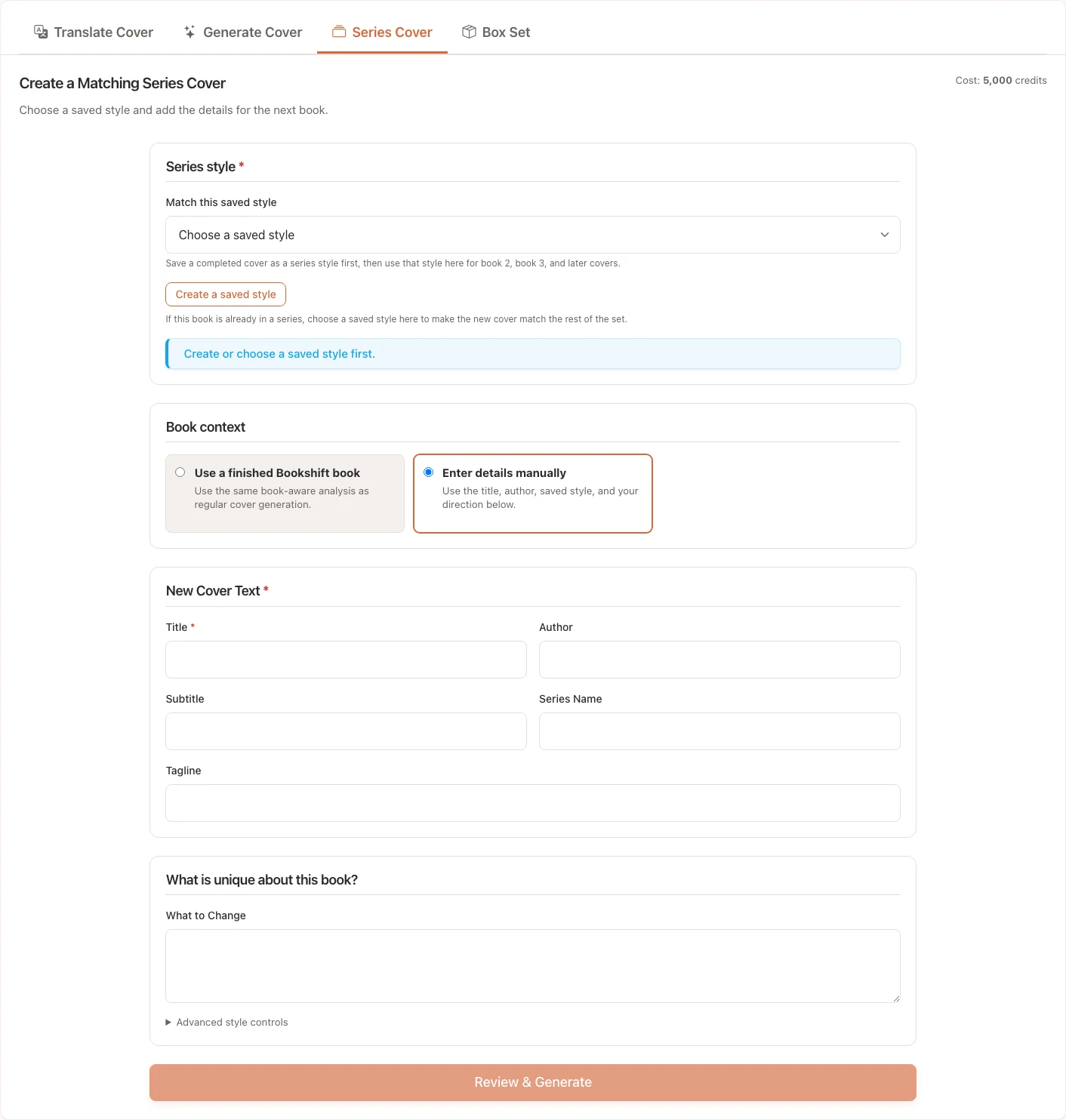
시리즈 표지 사용 시기
다음과 같은 경우에 이 워크플로를 사용하세요:
- 시리즈에 이미 하나 이상의 표지가 있는 경우
- 다음 책에 동일한 타이포그래피, 색상표, 레이아웃 리듬 또는 장르 신호가 필요한 경우
- 번역본이 원본 시리즈와 시각적으로 일관성을 유지하도록 하려는 경우
- 스타일 지침을 처음부터 작성하는 대신 저장된 Bookshift 시리즈 스타일을 재사용하려는 경우
시리즈 표지 생성에는 표지당 5,000 크레딧이 소요됩니다.
스타일 소스 선택
Bookshift 시리즈 스타일은 업로드된 참조 표지나 완성된 생성 표지에서 가져올 수 있습니다. 스타일이 준비되면 다음과 같은 가이드라인이 저장됩니다:
- 색상표 및 대비
- 타이포그래피 방향
- 레이아웃 리듬
- 반복 모티프
- 장르 신호
- 유지하거나 피해야 할 요소
시리즈 표지 탭에서 준비된 시리즈 스타일을 선택하거나, 가능한 경우 기존 Bookshift 작업에서 시작하세요.
새 책 세부 정보 추가
새 표지에 들어갈 정확한 텍스트를 입력하세요:
- 새 책 제목
- 저자 이름
- 선택적 부제
- 선택적 시리즈명
- 선택적 태그라인
- 장르
그런 다음 동일하게 유지할 요소와 변경할 요소를 설명하세요. 예를 들어, 제목 배치와 색상표는 동일하게 유지하되 중앙 이미지를 성에서 배로 변경합니다.
결과 검토
생성 후:
- 제목, 저자, 부제, 시리즈 텍스트의 철자가 올바른지 확인하세요.
- 새 표지를 이전 시리즈 표지와 비교하세요.
- 표지가 여전히 장르와 대상 시장에 적합한지 확인하세요.
- 시리즈 느낌에서 너무 벗어난 경우, 유지/변경 사항을 더 명확히 기재하여 다시 생성하세요.
Tip
참조 스타일에 명확한 규칙이 있을 때 시리즈 일관성이 가장 잘 유지됩니다. 원본 표지의 타이포그래피나 레이아웃이 일관되지 않다면, 유지할 사항에 대해 더 강력한 노트를 추가하세요.
 메뉴
메뉴