Series Cover Generation
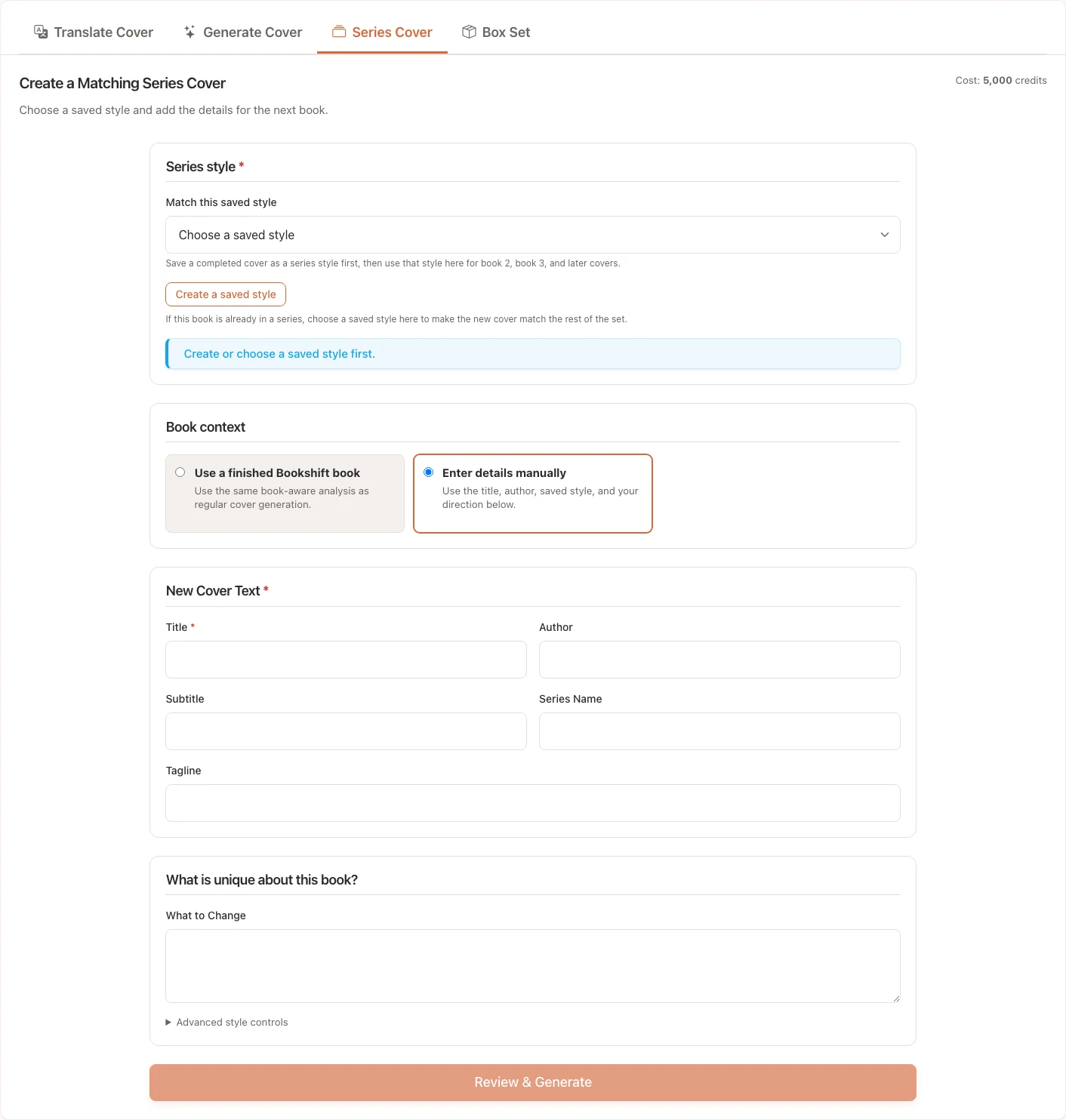
Series Cover Generation creates a new ebook-style front cover that follows an existing series style.
When to Use Series Covers
Use this workflow when:
- You already have one or more covers in a series
- The next book needs the same typography, palette, layout rhythm, or genre signal
- You want a translated edition to stay visually consistent with the original series
- You want to reuse a saved Bookshift series style instead of writing style instructions from scratch
Series cover generation costs 5,000 credits per cover.
Choose a Style Source
Bookshift series styles can come from an uploaded reference cover or a completed generated cover. Once a style is ready, it stores guidance such as:
- Palette and contrast
- Typography direction
- Layout rhythm
- Recurring motif
- Genre signal
- Elements to preserve or avoid
In the Series Cover tab, choose a ready series style or start from an existing Bookshift job when available.
Add New Book Details
Enter the exact text for the new cover:
- New installment title
- Author name
- Optional subtitle
- Optional series line
- Optional tagline
- Genre
Then describe what should stay the same and what should change. For example, keep the same title placement and color palette, but change the central image from a castle to a ship.
Review the Result
After generation:
- Check that the title, author, subtitle, and series text are spelled correctly.
- Compare the new cover with the earlier series covers.
- Confirm the cover still fits the genre and target market.
- Regenerate with clearer preserve/change notes if it drifts too far from the series look.
Tip
Series consistency works best when the reference style has clear rules. If the original covers have inconsistent typography or layouts, add stronger notes about what to preserve.
 Menu
Menu