Box Set Cover Creator
The Box Set Creator makes bundle artwork for multi-book series. Use it for storefront graphics, ads, newsletters, launch pages, and other marketing assets.
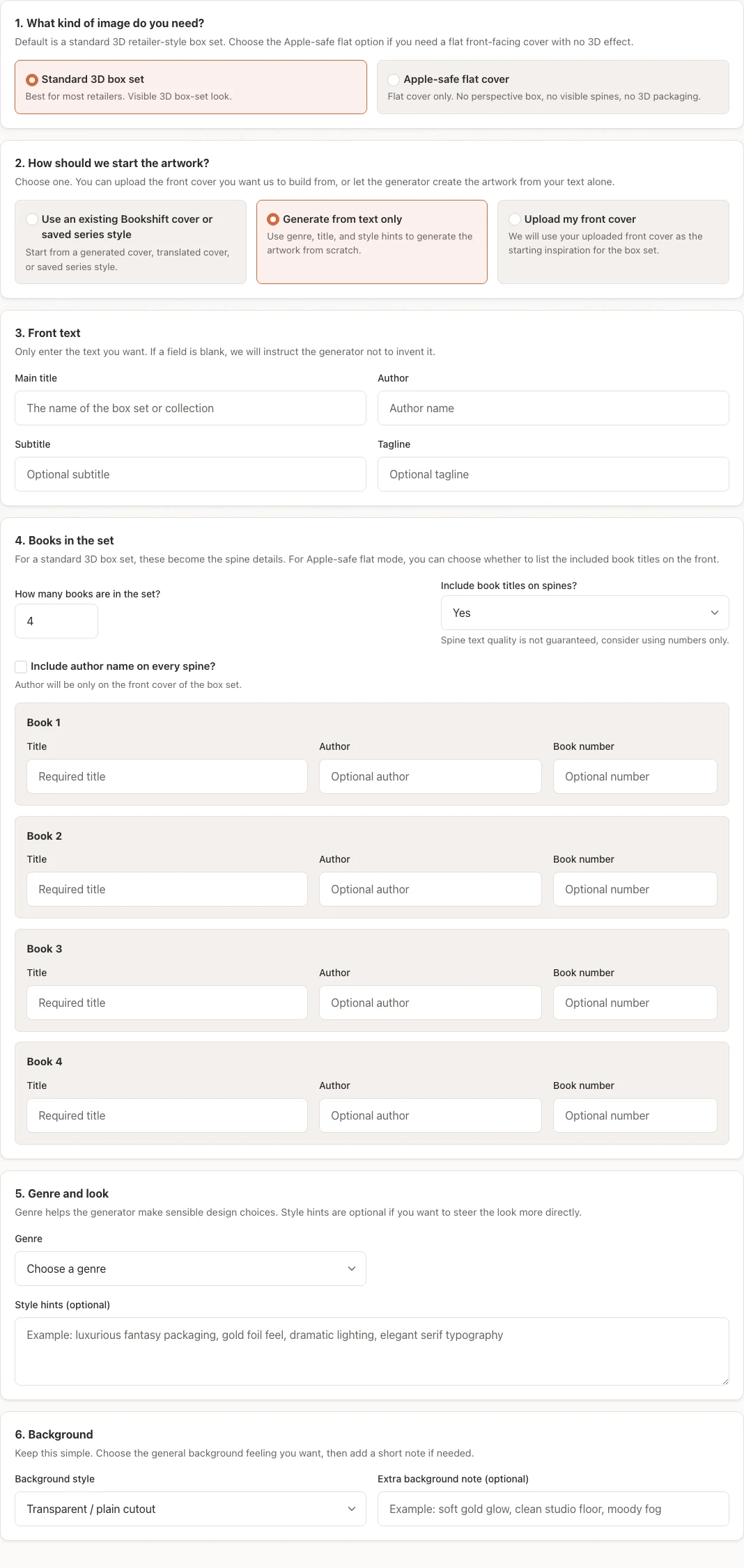
What It Creates
The tool can create:
- 3D box set mockups with visible book spines
- Apple-safe flat bundle covers
- Artwork based on an existing Bookshift cover or series style
- Artwork based on an uploaded front cover
- Text-only box set designs when you do not have a cover yet
Box set creation costs 5,000 credits per job.
Input Modes
Existing Bookshift Cover
Use this when a completed Bookshift cover should anchor the box set look. This is useful when you already generated or translated a cover and want the bundle art to match it.
Existing Series Style
Use this when you have a saved series style. Bookshift uses the series style guidance to preserve palette, typography, layout rhythm, recurring motif, and genre signal.
Upload Front Cover
Use this when the anchor cover was created outside Bookshift. Upload a high-resolution JPG, JPEG, PNG, or WEBP cover image.
Text-Only
Use this when you do not have cover art yet. Provide the series title, author, genre, spine titles, and style hints so Bookshift can create a complete box set concept.
Required Details
Prepare:
- Series or bundle title
- Author name
- Book count
- Spine title for each book
- Genre
- Optional subtitle or tagline
- Optional background and style direction
The public box set creator supports book counts from 2 to 30.
Layout Options
Choose the layout that matches where you plan to use the image:
- 3D Box Set - Best for ads, newsletters, launch graphics, and sales pages
- Flat Apple-Safe Cover - Better when a storefront or ad platform rejects 3D product mockups
For 3D mockups, visible spine titles usually work best. If the spine text looks crowded, reduce the wording or use shorter book titles.
Review the Result
Before using the image:
- Check the series title and author name.
- Confirm each spine title is in the right order.
- Make sure the book count matches the bundle.
- Confirm the layout is allowed by the platform where you will upload it.
- Regenerate with clearer style hints if the design does not match the series or market.
Warning
Box set mockups are marketing images. They are not paperback wrap PDFs and should not be uploaded as print-ready cover files.
 Menü
Menü