Book-Aware Cover Generation
Bookshift can generate covers from more than a short prompt. When available, it can use book context to build a stronger visual brief while still keeping your exact cover text separate.
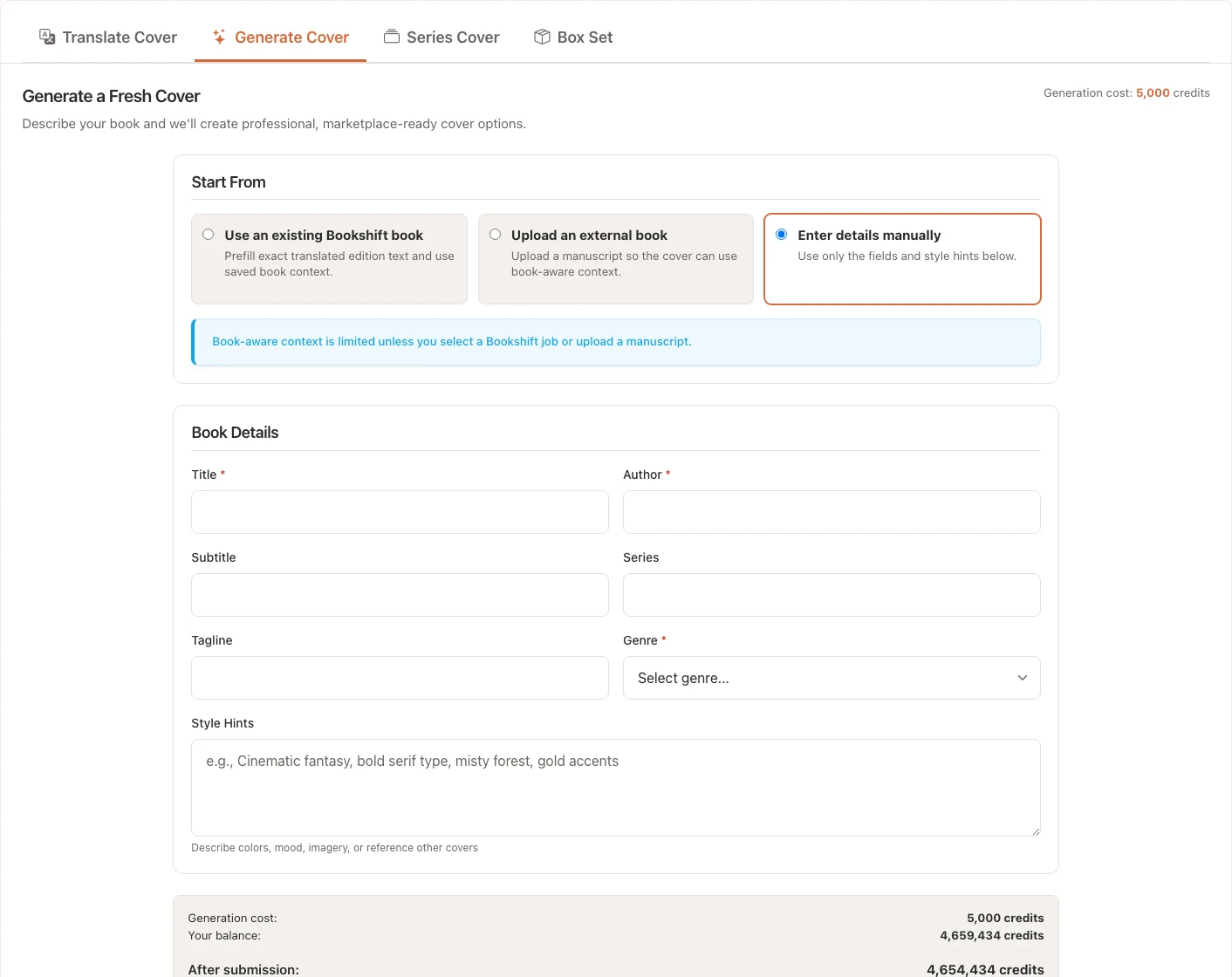
Context Sources
You can start from:
- An existing Bookshift book or translation job
- An uploaded manuscript file
- Manual title, author, genre, and style fields
Bookshift may use title, blurb, genre, keywords, character details, and manuscript cues to improve the prompt sent to the cover generator. Your title, subtitle, series, tagline, and author fields remain the exact text that should appear on the cover.
Each cover generation costs 5,000 credits.
Source Modes
Existing Bookshift Job
Use this when the book or translated edition already exists in Bookshift. The workspace can prefill localized title, subtitle, series, author, and genre details from the selected edition.
This is the best option for translated editions because the generated cover can use the same localized metadata as the manuscript.
Uploaded Manuscript
Use this when the book was not created in Bookshift. Supported manuscript uploads include DOCX, EPUB, TXT, and MD.
Bookshift extracts useful context from the file, then you confirm or edit the title, author, genre, and visual direction before submitting the cover job.
Manual Details
Use this when you already know the cover text and only need a quick visual brief. Manual mode works best when you provide a strong genre, clear title and author fields, and concise style hints.
What Context Improves
Book-aware context can help with:
- Genre fit
- Main character details
- Tone and mood
- Visual motifs
- Better alignment between cover, blurb, and target market
Your own style hints still matter. If you have a strong preference for color, composition, heat level, or visual trope, include it.
Review the Result
After generation:
- Check title and author spelling.
- Confirm the cover fits the genre and market.
- Look for character or trope mismatches.
- Retry with clearer style guidance if needed.
If generation fails, retry from the job page or contact support with the job ID.
FAQ
Does Bookshift read the whole manuscript for every cover?
Bookshift uses available context to create a useful cover brief. Depending on the workflow, that context may come from an existing job, metadata, blurb, keywords, extracted details, or uploaded manuscript content.
Can I override the generated brief?
Yes. Your style notes should guide the result when you have specific creative direction.
Should I use this for translated editions?
Yes, especially when the translated edition needs market-aware cover positioning or localized title treatment.
 menu: Menu