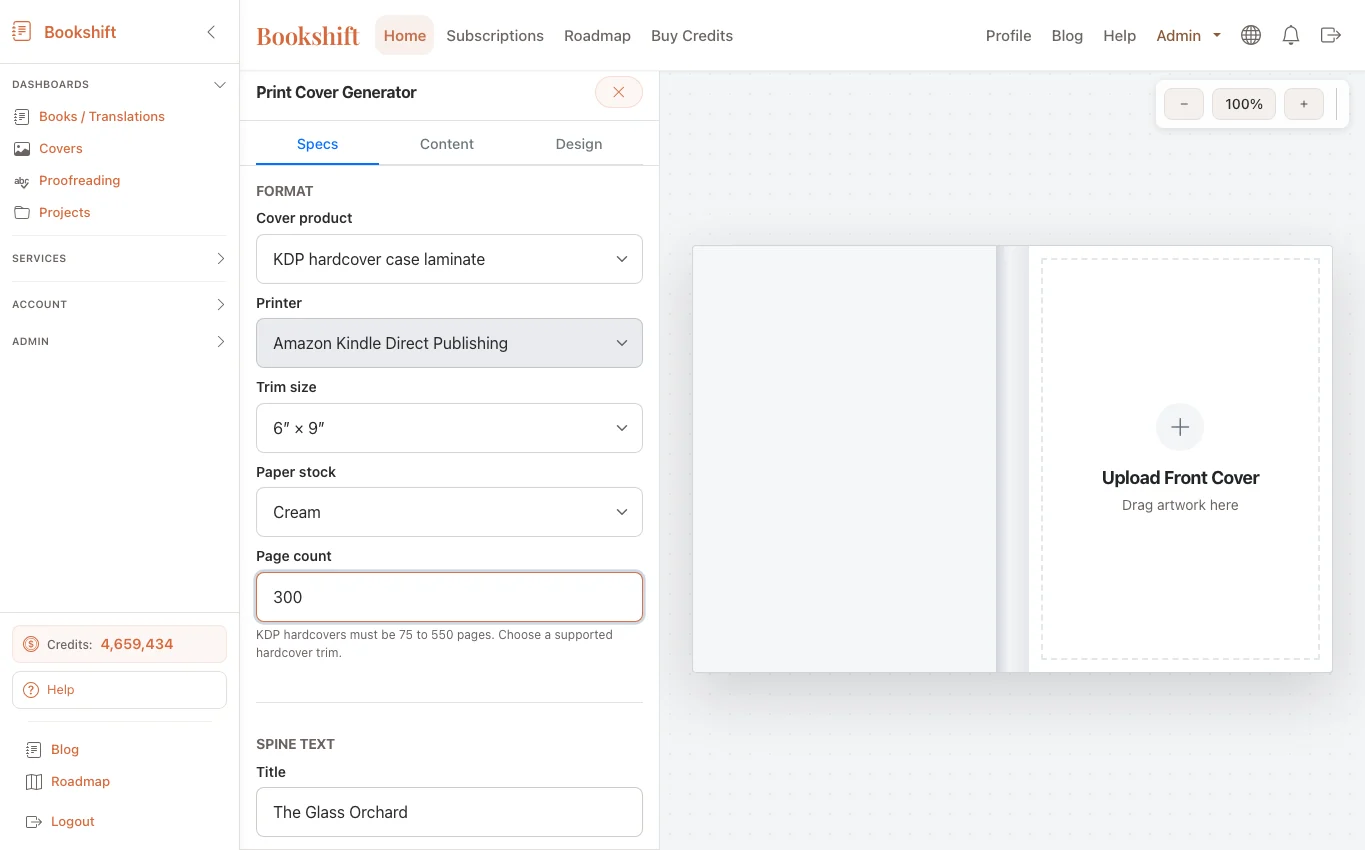
KDP and IngramSpark Paperback Wrap Generator Guide
A paperback wrap is the full print cover PDF for a paperback book. It includes the back cover, spine, and front cover in one file, with bleed and trim measurements that match the printer's specifications.
Bookshift's paperback wrap generator helps authors create that file without rebuilding the cover layout from scratch. It is especially useful after translation, when a book may need new spine text, translated back-cover copy, a localized title, or a different page count.
Quick answer
To generate a paperback wrap, you need the marketplace, trim size, paper type, page count, title, author name, back-cover copy, cover art, and barcode or ISBN settings. The page count and paper stock determine spine width, so finalize the manuscript before you create the print-ready PDF.
What a paperback wrap contains
A complete paperback wrap has five practical zones:
- Back cover
- Spine
- Front cover
- Bleed area
- Barcode or ISBN area
The printer trims the outer edge after printing, so the design must extend beyond the final trim line. Text and important visual elements should stay inside safe margins. The spine must match the page count and paper stock closely enough that the title does not drift onto the front or back cover.
KDP vs IngramSpark
KDP and IngramSpark both require print-ready PDFs, but their templates and tolerances can differ. Even when the trim size sounds identical, confirm the exact settings before upload.
For KDP, authors often start with common trim sizes such as 5 x 8, 5.5 x 8.5, or 6 x 9 inches. For IngramSpark, you may need to align with distribution and bookstore expectations as well as reader preference.
The safest rule is simple: do not guess. Match the wrap to the platform, trim size, paper color, binding type, and final page count.
Inputs you need before generating the wrap
Gather these before opening the generator:
- Final page count from the print interior PDF
- Trim size
- Paper type and color
- Marketplace or printer target
- Front cover art
- Title, subtitle, series name, and author name
- Back-cover description
- ISBN or barcode preference
- Logo or imprint details, if needed
For translated editions, also confirm the translated title and localized blurb. If you translated the book with Bookshift, use the marketing pack and review the localized back-cover copy before placing it on the wrap.
Why page count matters
The spine width comes from page count, paper stock, and printer rules. If you proofread the manuscript, change font size, adjust margins, or add front matter, the page count can change. When the page count changes, the spine width changes too.
That is why the print workflow should usually be:
- Finish translation or editing.
- Run proofreading if needed.
- Generate the final print interior.
- Confirm page count.
- Build the paperback wrap.
- Upload and preview the print files.
If the printer reports a spine or bleed error, return to the wrap settings and confirm the exact trim and page count.
Common paperback wrap mistakes
The most common mistakes are practical, not artistic:
- Using an old page count after editing the manuscript
- Placing spine text on a book too thin to support it
- Letting important text enter the bleed or trim area
- Forgetting that translated titles can be longer than the source title
- Putting a barcode where the printer will also add one
- Exporting a low-resolution image
- Uploading a front-cover image instead of a full wrap PDF
Translated books add another issue: text expansion. A German, French, Spanish, or Italian title may need more space than the English original. Do not force the same typography if it makes the translated cover look cramped.
How Bookshift fits into the workflow
Bookshift connects the parts of the author production process that usually happen in separate tools. You can translate the manuscript, proofread the result, prepare metadata, and then generate a paperback wrap when the print edition is ready.
Start with the book translation workflow if you are preparing a localized edition. Use AI manuscript proofreading before locking the interior. Then use the paperback wrap generator once the page count is final.
FAQ
Can I use the same wrap for KDP and IngramSpark?
Sometimes, but you should not assume it. Check trim size, paper stock, page count, and barcode requirements for each platform. If the specifications differ, generate separate wraps.
Do I need an ISBN barcode?
It depends on the platform and publishing setup. If the platform adds a barcode, leave the required blank area. If you supply your own ISBN barcode, make sure it is placed in the correct zone and exported at print quality.
Can I build the wrap before the manuscript is final?
You can draft the design, but do not export the final print PDF until page count is locked. Any interior change that alters page count can change spine width.
What file should I upload to KDP or IngramSpark?
Upload the complete print-ready wrap PDF, not just the front cover image. The file should include front cover, spine, back cover, bleed, and any required barcode area.